

Create Row Filter Privileges
To create a privilege, follow these steps:- Navigate to catalogs, and click on the desired catalog.
- Select the Privilege tab.
- Click on Create Privileges to create a new privilege.
- Provide a name to privilege.
- Enter a description of the privilege (optional).
- Select the row filter from the type of privilege.
- Select the databases.
- Select the table and enter the expression.
- Select the user(s)/group(s) to whom you wish to provide access to the selected schema.
- Click on “Create.”
- The privilege will be created and can be viewed in the privileges tab list.
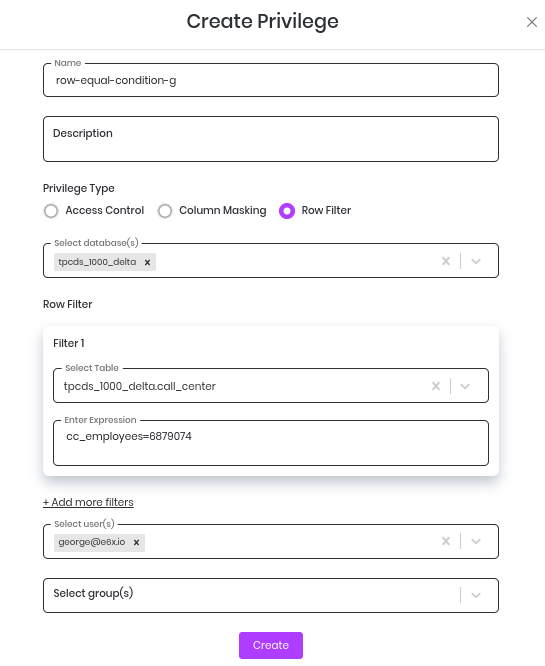
Create Row Filter Privilege
Table-Specific Row Filtering Example
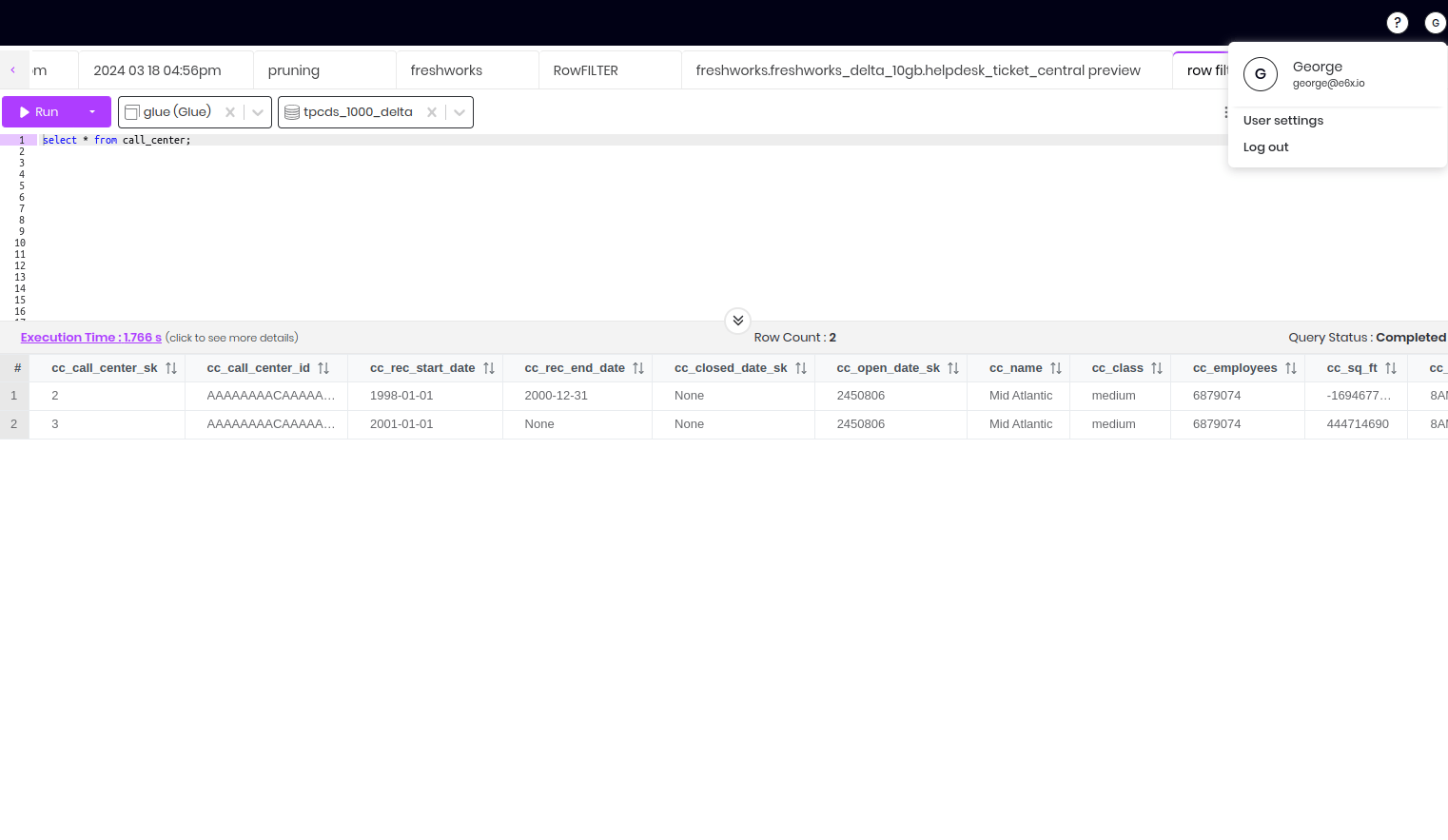
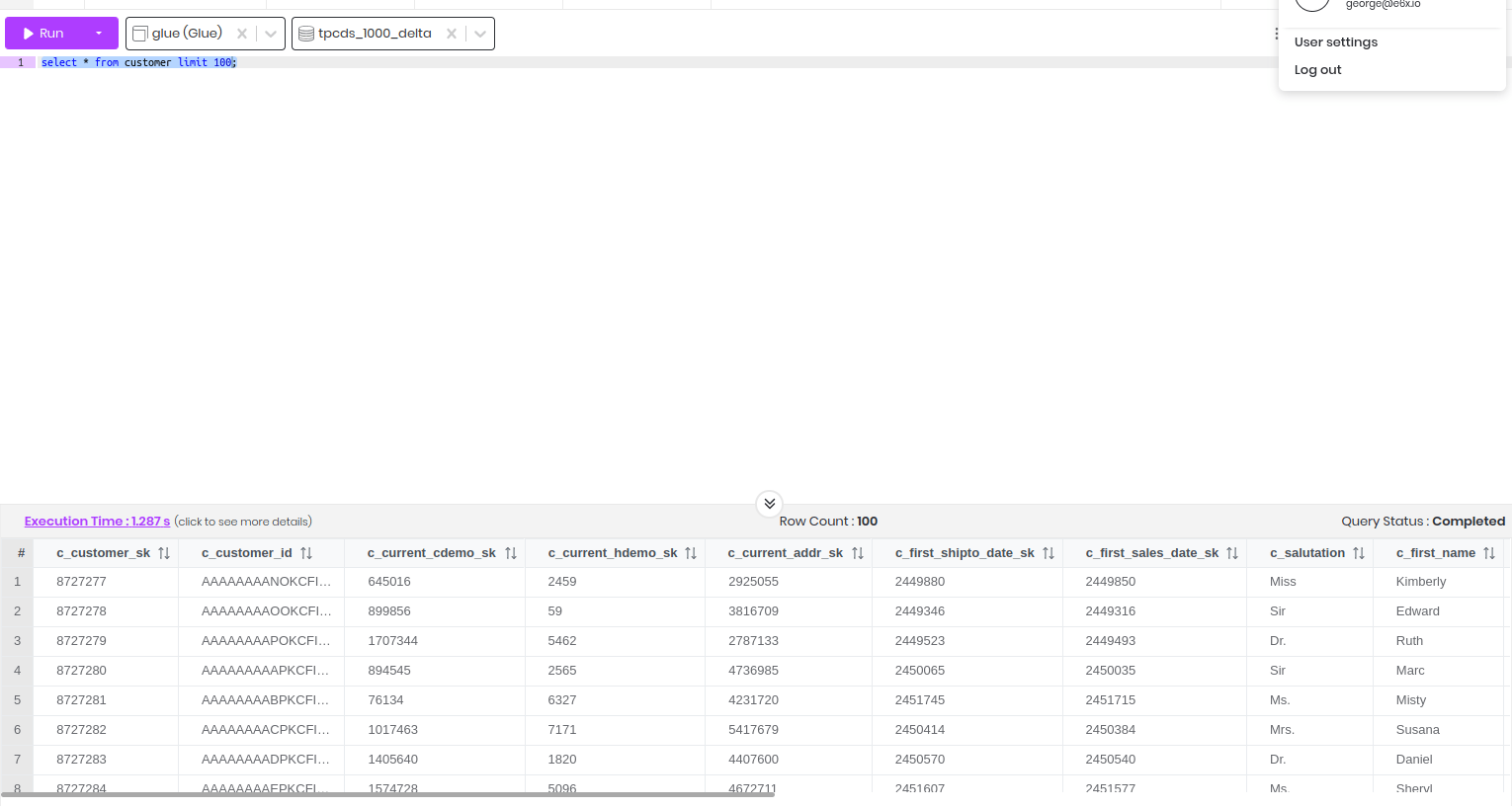
If the user selects a specific table, the row filter privilege will only be applied to that table. For example:- table: call_center
- database: tpcds_1000_delta
- row filter condition: cc_employees=6879074
- User - George
User-Specific Row Filtering Example
If the user has been assigned the row filter privilege, the row filter will only be applied to them. For example:- table selected: call_center
- database selected: tpcds_1000_delta
- row filter condition: cc_employees=6879074
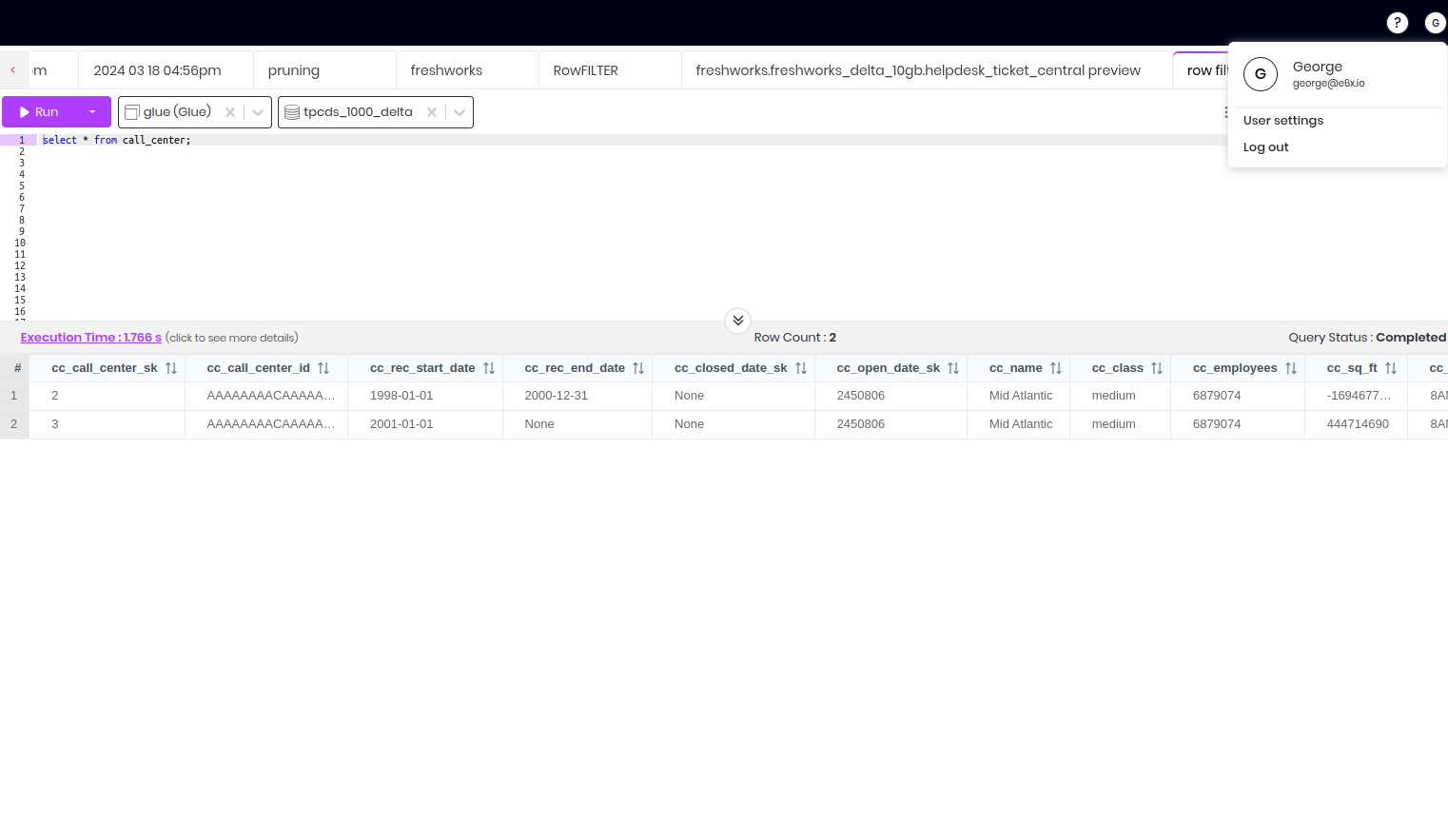
Row filter privilege applied for user - George
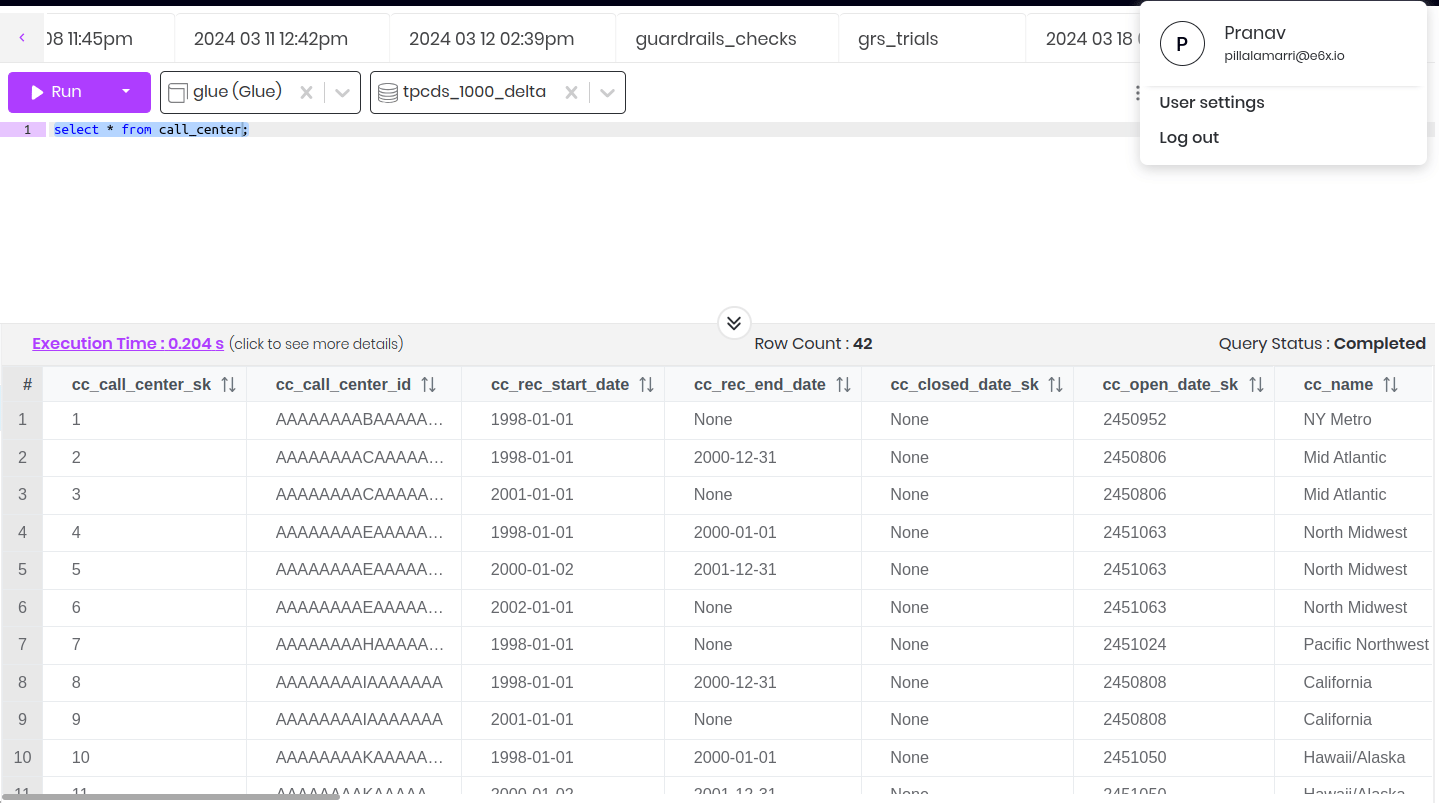
No row filter privilege applied for user - Pranav
Limitations
- Subqueries with row filter conditions are not yet supported.
- Row filter conditions with aggregate functions are not yet supported as aggregations are in the HAVING clause
- For multiple-row filters in the same table, only the first-row filter will be applied in a query with a combination of these row filters.
Update Row Filter Privilege
To edit a privilege, follow these steps:- Click on the three dots next to the privilege you want to edit.
- Select “Edit” from the dropdown menu.
- The privilege form will now be available for modification.
- If you want to change the description, update it accordingly.
- Choose the databases.
- Select the table and edit the expression (if you want to)
- You can more row filter expressions by clicking on add more filters
- Select the users and groups you wish to grant access to for the selected schema.
- Finally, click on “Update” to save your changes.
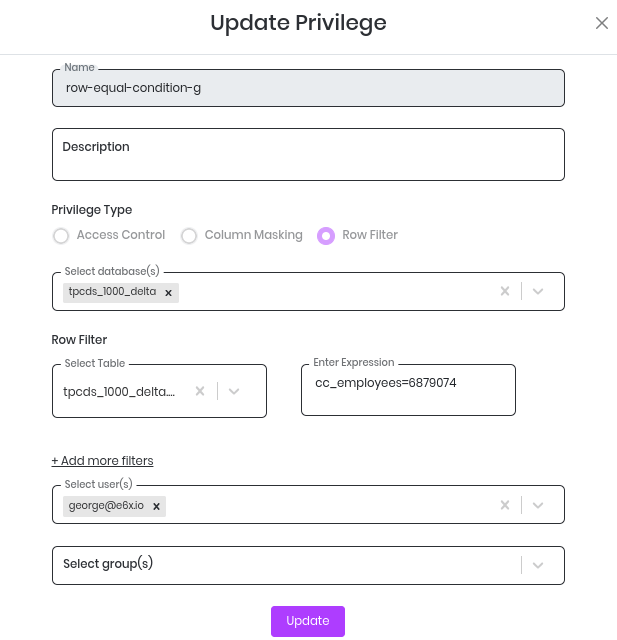
Update Row Filter Privilege
Delete Row Filter Privilege
To delete a privilege, follow these steps:- Click on the three dots next to the privilege you want to delete.
- Select “Delete” from the dropdown menu.
- Confirm the deletion by typing “Delete” in the alert box.