

Only users with SuperAdmin or DataAdmin privileges can manage Cluster Connectivity.
Create IP Sets
To create an IP Set, please follow the below steps -- Navigate to Connectivity from left navigation
- From the dropdown, select IP Sets
- Click on the CREATE option provided in the right top corner
- Enter the following details in the create form -
- IP Set Name: Provide a name to the IP set
- Description: Enter the description of the IP set. This field is optional.
- IP address: Enter the IP Address that will be used
- Click on CREATE.
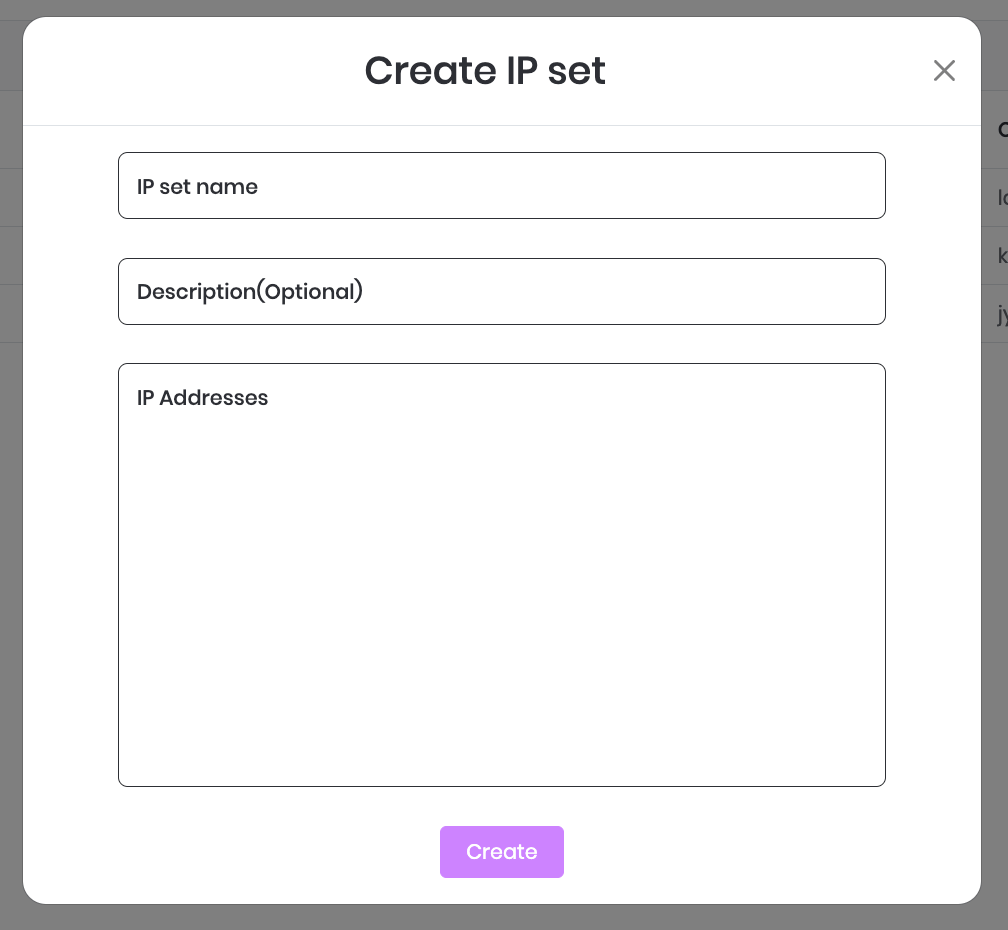
Create IP Set
Update IP Sets
- Navigate to IP Sets
- Select the IP set you want to update.
- Click on Edit.
- You can update the following:
- IP Set name: Provide a new name to the IP set
- Description: Update the description (optional)
- IP Addresses: Add or Remove IP addresses as per your requirement.
- Click on Update.
Delete IP Sets
- Navigate to IP Sets
- Select the IP set you want to delete.
- Click on Delete.
- Click on Confirm to delete.